Influencer II
what did you change the name to?Good morning, i recently changed profile names..on profile page name has changed both app and desktop version. However, in forums and conversations my previous name is showing up. Anything i can do?
Influencer II
what did you change the name to?Good morning, i recently changed profile names..on profile page name has changed both app and desktop version. However, in forums and conversations my previous name is showing up. Anything i can do?


Enthusiast III
Influencer II
Enthusiast III
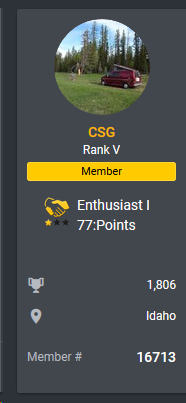
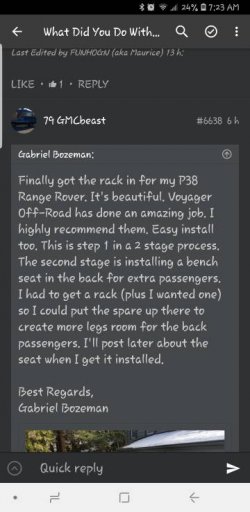
Chris, Check it out...this is whst showed up last night..i had changed avatar and name last week . The photo chaned but not name. 79 GMCbeast still came up..When i click, it takes me to my info page with previous namewhat did you change the name to?
Enthusiast III
[emoji106]haha, sometimes it takes a little bit for cached data to be replaced in all places. Let me know if the old one pops up somewhere.



Member III
Influencer II
are you still having this issue now?This may be a known issue after the upgrade, but It seems that I cannot reply to posts.
Member III
Sorry to say this but I just tried to reply to a post with links to different threads and it still is stating I need at least 3 characters. This is the same as the email I sent to you this afternoon.are you still having this issue now?

Influencer II
Dang. Ok we will get this resolved for you.View attachment 88371
Sorry to say this but I just tried to reply to a post with links to different threads and it still is stating I need at least 3 characters. This is the same as the email I sent to you this afternoon.
Edited comment at 10:53 PM:
So after some deleting and reentering of text I got it to work. I'll keep you posted if issues still persist.
BTW, liking the new look and functions.
Influencer II
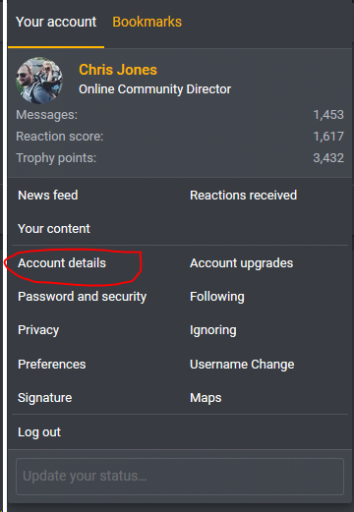
up in the top right of the forums, there is a pic of you and your name. Click that to reveal this menu. Then click account details. You can edit any of those details from there.Sorry if this is wrong place to post but how does one change birthday on profile. I can’t be having people think I’m 43 when I’m only 42. Thanks!
Influencer II
They should be back now. let me know if you don't see emWill the displayed member numbers come back as they were in the previous incarnation of the OB forum?
They should be back now. let me know if you don't see em
Influencer II
I was seeing what you see yesterday but its all corrected for me now. I'm on Firefox too. Try clearing the cache and if its still looking that way I can have the devs dig deeper.I don't. Using current version of Firefox FWIW - 65.0.01
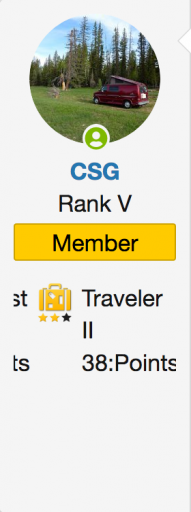
I should add that I'm seeing weird stuff with badges under my member tag to the left of my posts. Yesterday, they were scrolling and today there's a long list of different badges I've gone through from Contributor l down to Advocate III.
Influencer II

Influencer II
Notified dev. This could be theme related but will check. (there are some theme options at the bottom)Nope. Not seeing that after clearing cache and cookies (all). Matter of fact, the site wouldn't let me log in. I repeatedly got account locked messages and after about the 6-7th attempt I got in.
Here's what I see with the info below the member tag scrolling right to left through all the badges.
View attachment 88447
Now, after posting, it looks like this again:
View attachment 88455
I rotated through the themes with no effect on what I'm seeing outside of the colors. And now, all the badge symbols are showing as broken.Notified dev. This could be theme related but will check. (there are some theme options at the bottom)


Traveler III