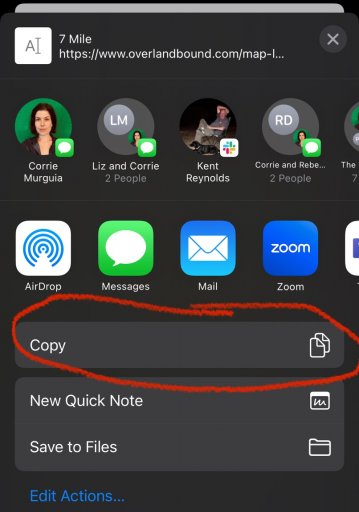
Influencer I
I can't for the life of me figure out how to effectivity share a gpx route from the app. I have tried the numerous available methods under the share icon but can get nothing to work.
Influencer I


Educator I
12989
Influencer I
What happens or dont, step by step......
Jim
Educator I
12989
Influencer I
OK try this....
in the app map tab you will see 3 short lines top right of page, tap that.
Select "My Locations".
Select "Uploaded" tab. (These are the items you have uploaded).
Find the item you want to share, on the bottom of it's title page you will see buttons (Bookmark, Edit, Map, Share etc). You can scroll them side to side to get to the button you want.
Tap "Share" button, a selection of ways to share should appear, like Messages, Mail, Facebook etc.
Hope that helps, LMK
Jim
Educator I
12989


Benefactor
0000
 www.overlandbound.com
Influencer I
Hey @Steve_ohhhhh ! Let’s do a test. This link should open the app and my route:
OB Route - Michael’s
Overland Bound One - App Link - Overland Bound
The only off-road mapping solution with community support built in for your overland, vanlife or car camping trips. You need adventure. We’ll help you find it.
Educator I
12989
Benefactor
0000
Influencer I
Educator I
12989
Great suggestion, moved to suggestion thread.@Michael Trails are uploaded. Would be nice for the share button to just generate a link copied to the clipboard for pasting in a post or conversation, or prompt to send link to a member or members via the ob1 platforms own messaging option.
Influencer I
Great suggestion, moved to suggestion thread.@Michael Trails are uploaded. Would be nice for the share button to just generate a link copied to the clipboard for pasting in a post or conversation, or prompt to send link to a member or members via the ob1 platforms own messaging option.
Jim
Benefactor
0000
@Michael Trails are uploaded. Would be nice for the share button to just generate a link copied to the clipboard for pasting in a post or conversation, or prompt to send link to a member or members via the ob1 platforms own messaging option.
Benefactor
0000


Protector III
20111
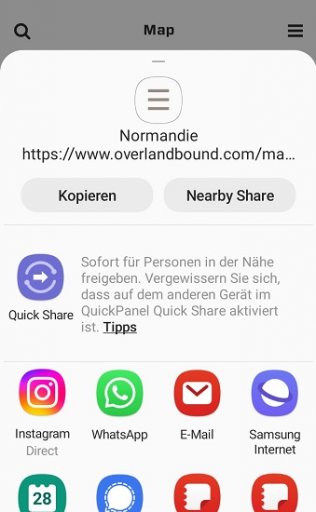
Hi Steve, it should! Anyone else with an Android device who can confirm? Steve you’ll remember I have an iPhone :) I’m traveling without mine. This is what I get when I select share from summary card or in the details screen:
Benefactor
0000
Hi Steve, it should! Anyone else with an Android device who can confirm? Steve you’ll remember I have an iPhone :) I’m traveling without mine. This is what I get when I select share from summary card or in the details screen:
Similar on Android. After clicking the share button in OB1 it leads to the usual Android screen with all the options inlcuding copy link. This is what it looks like with my Android based phone:
View attachment 249187
Benefactor
0000
Great suggestion, moved to suggestion thread.@Michael Trails are uploaded. Would be nice for the share button to just generate a link copied to the clipboard for pasting in a post or conversation, or prompt to send link to a member or members via the ob1 platforms own messaging option.
Jim
@Jim SoG @Michael All well and good however still no closer to knowing how to share gpx file mate...
Cheers
Steven
Benefactor
0000
Protector III
20111