Alpha 0.8.37 Build Patch Notes

Status
Not open for further replies.
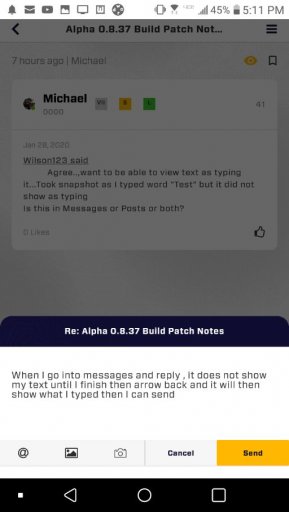
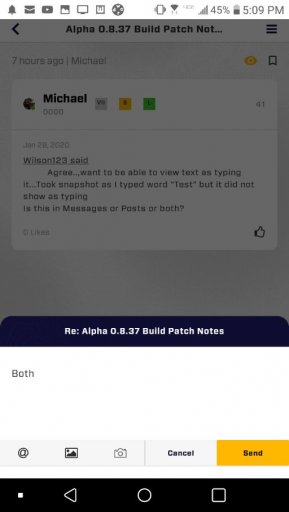
When I go into messages and reply , it does not show my text until I finish then arrow back and it will then show what I typed then I can send
 

Attachments

  • media.jpg
    media.jpg
    41.1 KB · Views: 29
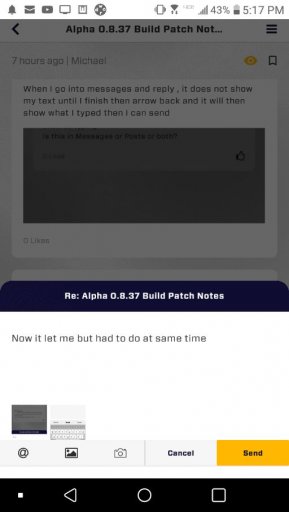
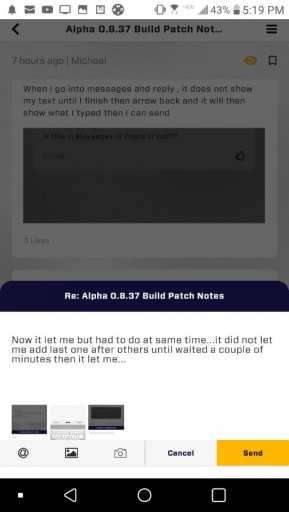
Now it let me but had to do at same time...it did not let me add last one after others until waited a couple of minutes then it let me...
 

Attachments

  • media.jpg
    media.jpg
    32.1 KB · Views: 27
  • media.jpg
    media.jpg
    33.1 KB · Views: 25
  • media.jpg
    media.jpg
    33.4 KB · Views: 25
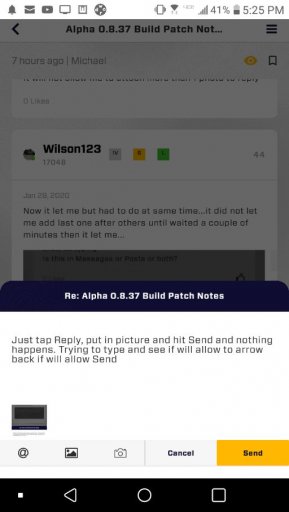
Just tap Reply, put in picture and hit Send and nothing happens. Trying to type and see if will allow to arrow back if will allow Send
 

Attachments

  • media.jpg
    media.jpg
    41 KB · Views: 25
  • media.jpg
    media.jpg
    41.4 KB · Views: 26
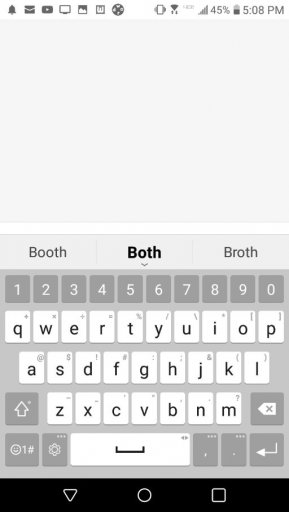
Tap in box to type message (can't see while type)>tap arrow on phone to take back to previous screen so can see what typed>tap icon to attach picture>tap send button
 
Question. What do these codes mean ? I'm pretty sure the first one is the rank but what do the S and L mean ?
 

Attachments

  • media.jpg
    media.jpg
    16.2 KB · Views: 32
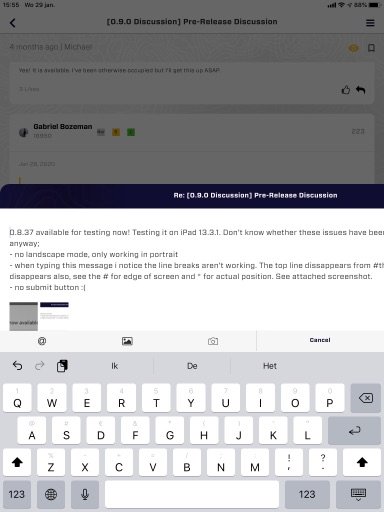
0.8.37 available for testing now! Testing it on iPad 13.3.1. Don’t know whether these issues have been mentioned earlier, but anyway;
- no landscape mode, only working in portrait
- when typing this message i notice the line breaks aren’t working. The top line dissappears from #the screen, now this one * disappears also, see the previous # for edge of screen and * for actual position. See attached screenshot.
- no submit button :(

Great work sofar, thanks all!
 

Attachments

  • media.jpg
    media.jpg
    42.1 KB · Views: 22
Last edited:
hwo do you get it
0.8.37 available for testing now! Testing it on iPad 13.3.1. Don’t know whether these issues have been mentioned earlier, but anyway;
- no landscape mode, only working in portrait
- when typing this message i notice the line breaks aren’t working. The top line dissappears from #the screen, now this one * disappears also, see the previous # for edge of screen and * for actual position. See attached screenshot.
- no submit button :(

Great work sofas, thanks all!
How do you get it on iOS?
 
Still can’t get used to the paging system, in my opinion a mobile device should have endless scrolling. Ofcourse you need paging in the background to have control over the load times.
In the same way there is no way to quickly refresh the current view, now I use page back, page forward. But that reset my focus on the current post and requires me to search it again. This is the moment the paging system is most annoying.

Now the Send button is present on the iPad, no idea what happened before.

Clicking on a photo messed up the layout, had to reset app. Send a photo through TestFlight beta.

Is there a way to edit messages?
 
Last edited:
hwo do you get it
0.8.37 available for testing now! Testing it on iPad 13.3.1. Don’t know whether these issues have been mentioned earlier, but anyway;
- no landscape mode, only working in portrait
- when typing this message i notice the line breaks aren’t working. The top line dissappears from #the screen, now this one * disappears also, see the previous # for edge of screen and * for actual position. See attached screenshot.
- no submit button :(

Great work sofas, thanks all!
How do you get it on iOS?
 

Attachments

  • media.jpg
    media.jpg
    39.4 KB · Views: 19
hwo do you get it
0.8.37 available for testing now! Testing it on iPad 13.3.1. Don’t know whether these issues have been mentioned earlier, but anyway;
- no landscape mode, only working in portrait
- when typing this message i notice the line breaks aren’t working. The top line dissappears from #the screen, now this one * disappears also, see the previous # for edge of screen and * for actual position. See attached screenshot.
- no submit button :(

Great work sofas, thanks all!
How do you get it on iOS?

Got notified by TestFlight, maybe you need to manually update TestFlight list to get the new version?

Btw, picture in above post should not be zoomed in that much imho
 
IMG_1502.JPGwhen you go type a message the screen layout doesn’t allow for you to hit post. If you try to scroll down or remove the keyboard it does not come off either to allow you to scroll and hit send.
 
hwo do you get it
Go into the testflight app on your phone, and you should see a button that says “Install” or “Update”.
0.8.37 available for testing now! Testing it on iPad 13.3.1. Don’t know whether these issues have been mentioned earlier, but anyway;
- no landscape mode, only working in portrait
- when typing this message i notice the line breaks aren’t working. The top line dissappears from #the screen, now this one * disappears also, see the previous # for edge of screen and * for actual position. See attached screenshot.
- no submit button :(

Great work sofas, thanks all!

How do you get it on iOS?
 
  • Like
Reactions: tijsk
When clicked the link in the old test thread pointing to this new 0.8.37 thread it opened the browser web version. I was expecting it to stay in the app ??
 
0.8.37 available for testing now! Testing it on iPad 13.3.1. Don’t know whether these issues have been mentioned earlier, but anyway;
- no landscape mode, only working in portrait
- when typing this message i notice the line breaks aren’t working. The top line dissappears from #the screen, now this one * disappears also, see the previous # for edge of screen and * for actual position. See attached screenshot.
- no submit button :(

Great work sofar, thanks all!
I have the same problems...
 
  • Like
Reactions: Gabriel Bozeman
Status
Not open for further replies.