Resolved Map layer icons wrong

Scott_Milk

Rank IV
Launch Member

Explorer I

1,383
Rotorua, Bay of Plenty, New Zealand
First Name
Jacob
Last Name
Kelley
Member #

25260

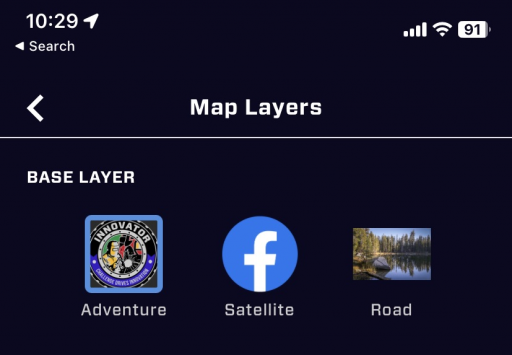
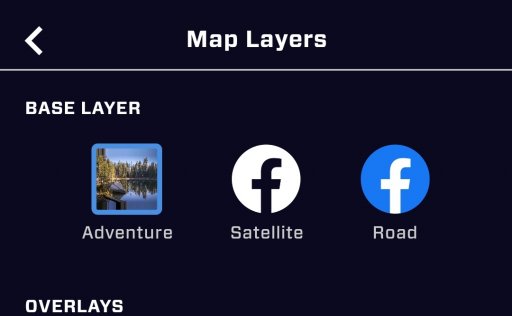
Just updated the Android app and noticed the map base layer icons don't appear to be correct. I will attach a screenshot of it so it's easy to see what I mean. I'm fairly certain a Facebook icon shouldn't be a base layer representation. Just thought I'd let someone know.
 

Attachments

  • media.jpg
    media.jpg
    58.5 KB · Views: 7
Waiting on reply........Aint forgot ya.

Jim

We are looking into this now. Can you delete/reinstall and let us know if the problem persisted. We are trying to determine if it is an asset folder permission issue specific to Android. Thank you!
 
Just updated the Android app and noticed the map base layer icons don't appear to be correct. I will attach a screenshot of it so it's easy to see what I mean. I'm fairly certain a Facebook icon shouldn't be a base layer representation. Just thought I'd let someone know.
Seemingly random question - do you happen to have (or ever had) the Bronco Nation app installed?
 
Just updated the Android app and noticed the map base layer icons don't appear to be correct. I will attach a screenshot of it so it's easy to see what I mean. I'm fairly certain a Facebook icon shouldn't be a base layer representation. Just thought I'd let someone know.

Seemingly random question - do you happen to have (or ever had) the Bronco Nation app installed?

11.15.0.2022100186
And I have never had the bronco national app
 
  • Like
Reactions: Michael
Waiting on reply........Aint forgot ya.

Jim

We are looking into this now. Can you delete/reinstall and let us know if the problem persisted. We are trying to determine if it is an asset folder permission issue specific to Android. Thank you!

Ok I just uninstalled and reinstalled and now it's fixed.