Gaia inreach mini 2 and iPad mini 6 … JUNK

wishihada4runner

Rank V
Launch Member

Enthusiast III

1,653
Fort Collins, CO, USA
First Name
Mike
Last Name
Thompson
Member #

24439

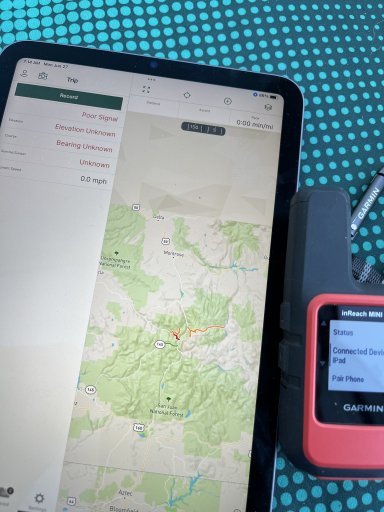
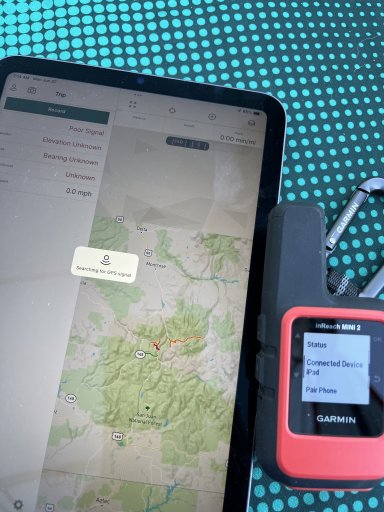
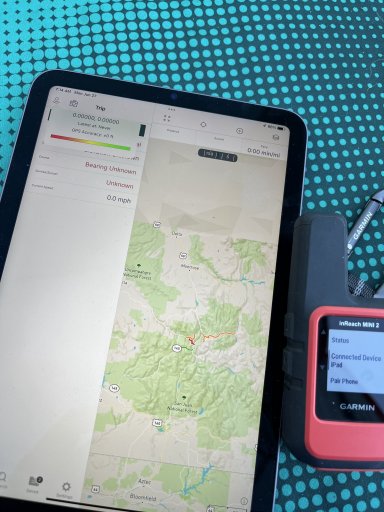
Anyone use an inreach mini 2 (or any inreach product for that matter) and pair to an iPad mini 6 with Gaia 2022.4?

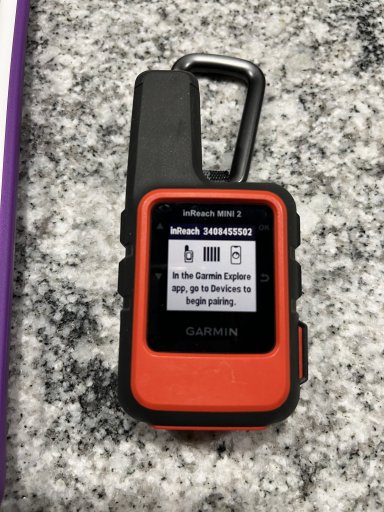
Looks like it’s paired on the inreach and iPad but it’s not behaving as expected. Everywhere I looked even threadson here say get the garmin oair it go navigate.
Finally came across a KB on Gaia site saying don’t use garmin. I dropped $1000 for this setup, am I a complete moron or is it all junk?

Trying to see if I can get onx to work right now.On the mini 2 screen, I can’t even tell if the stupid thing has acquired a GPS signal. Seems like it has because I can begin navigation butit should show you whether or not connected.
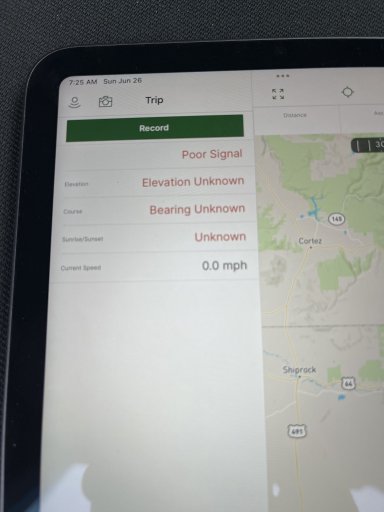
image.jpg
 
Many others have gotten this combination to work. Maybe search up "Apple Location Services" in combination with "external GPS" or "inreach" to see if that can provide some enlightenment. Maybe try looking to the Apple store for a GPS app that might provide more insight into what is going on. Make sure that you peruse your iPad's Location Services settings in its System Preferences to make sure that it is enabled and that the apps that you are interested in have access to location services (GPS, etc., data).
 
Many others have gotten this combination to work. Maybe search up "Apple Location Services" in combination with "external GPS" or "inreach" to see if that can provide some enlightenment. Maybe try looking to the Apple store for a GPS app that might provide more insight into what is going on. Make sure that you peruse your iPad's Location Services settings in its System Preferences to make sure that it is enabled and that the apps that you are interested in have access to location services (GPS, etc., data).
Thank you for helping out!

At the end of the day - it should be as simple as getting that GPS signal. This is a good nudge for us to increase the level of visibility as to what is going on with GPS status.
 
At the end of the day - it should be as simple as getting that GPS signal. This is a good nudge for us to increase the level of visibility as to what is going on with GPS status.
Totally agree ;) Something as simple as a "signal quality" display could help folks reason out why their location is off by a larger amount than anticipated and reduce support calls; looks like this could come from CLLocationAccuracy on the Apple side. I'd love to see sats in view and raw sentences (stats for geeks? haha) but am not sure if Location Services and the corresponding Android interface allows such a thing. I think alerting the user to "hidden faults" from Location Services would be great - such as "Location services disabled, please do such and such to rectify".
 
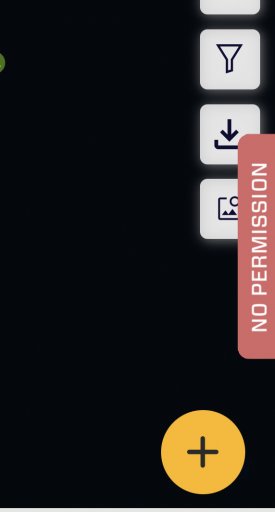
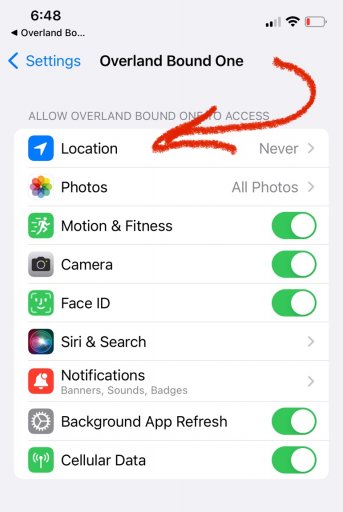
@wishihada4runner - take a look at OB1 on your setup and see if you get the "no permissions placard" that @Michael mentioned. Could help diagnose the problem and you may just like OB1 better ;)
First "pan-pan" and now "placard", working on blowing people's minds. Hahaha
 
Anyone use an inreach mini 2 (or any inreach product for that matter) and pair to an iPad mini 6 with Gaia 2022.4?

Looks like it’s paired on the inreach and iPad but it’s not behaving as expected. Everywhere I looked even threadson here say get the garmin oair it go navigate.
Finally came across a KB on Gaia site saying don’t use garmin. I dropped $1000 for this setup, am I a complete moron or is it all junk?

Trying to see if I can get onx to work right now.On the mini 2 screen, I can’t even tell if the stupid thing has acquired a GPS signal. Seems like it has because I can begin navigation butit should show you whether or not connected.


View attachment 234088

Do they work separately?…you may be asking too much from your iPad…it may be that you can only use one at a time…try pairing one to your iPad and one to your phone and see if that works…I had issues pairing my spotX to my phone…they sent me out another unit and it works fine now…
 
  • Like
Reactions: M Rose and Ubiety
Ye
Do they work separately?…you may be asking too much from your iPad…it may be that you can only use one at a time…try pairing one to your iPad and one to your phone and see if that works…I had issues pairing my spotX to my phone…they sent me out another unit and it works fine now…
Yes, they work separately. I actually got it to kind of work. Then rebooted both the mini and iPad and now in the same boat. Junk.
 
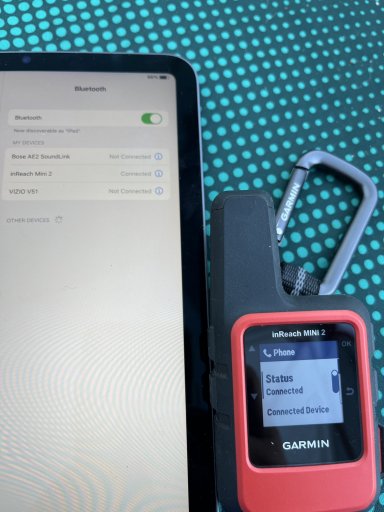
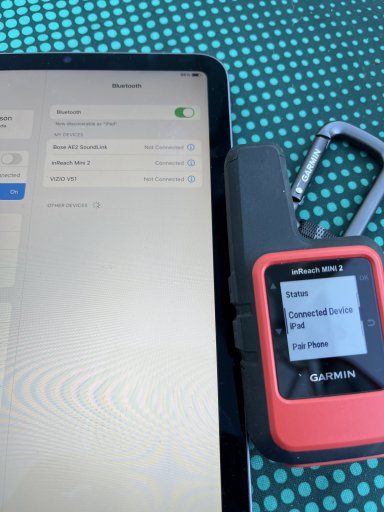
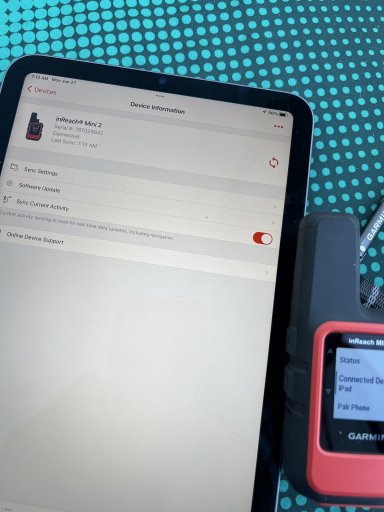
This is what I see on the devices. It sounds like no one else has this problem, at least none who have responded here are using these devices and encountered the issue.
B53839A1-646F-4E7E-9F27-FD6F878CDC55.jpegFD6B610E-51FB-4487-AC64-253081C89A9C.jpeg9B702178-8AC5-4CDA-A973-C3B396C6C0CA.jpeg12CB1D3A-C844-4583-9F6F-05133D1E9101.jpeg21D55E6D-9DC9-4BD8-9B6A-707D89E16AE5.jpegED6D2264-58DA-49E7-AD4B-ADC04DDBE0ED.jpeg
 
For what it’s worth, I just activated an inReach mini 2 and paired it with my iPad mini and it seems to work. The only difference is mine is a 5th gen iPad, not 6, but I don’t see how this could be the issue. This doesn’t really help you, but at least we know it *can* work :)

Bluetooth works great until it doesn’t, then it’s infuriatingly inscrutable :)

Did you check and make sure Gaia is granted location access? If it’s not, it would behave exactly the way you describe. Settings -> scroll down to Gaia -> Allow Location Access

Good luck!
Kris
 
  • Like
Reactions: wishihada4runner
For what it’s worth, I just activated an inReach mini 2 and paired it with my iPad mini and it seems to work. The only difference is mine is a 5th gen iPad, not 6, but I don’t see how this could be the issue. This doesn’t really help you, but at least we know it *can* work :)

Bluetooth works great until it doesn’t, then it’s infuriatingly inscrutable :)

Did you check and make sure Gaia is granted location access? If it’s not, it would behave exactly the way you describe. Settings -> scroll down to Gaia -> Allow Location Access

Good luck!
Kris
Thanks Kris!! Yup, I have location access turned on for Gaia. Sounds like it should be as easy as I’m expecting, Bluetooth then use the app.
Question for you: do you open the garmin explore app before you open Gaia? My mini was saying something like open the app for full access. So I tried opening the Garmin Explore app and that message went away but still didn’t work.
 
I only just started using it, but so far I haven’t noticed that I have to open Garmin Explore first. In fact I restarted the iPad, turned off Wi-Fi, and opened Gaia, and it still seems to work.

Kris
 
I’m no longer confident that it’s working. I’m just sitting at home trying things. I just put the iPad into airplane mode (no Bluetooth or Wi-Fi), and turned off he inReach, and Gaia still seems to know where I am.

I’m going to have to leave the house and get away from known hotspots and see if it still works…

Kris
 
  • Like
Reactions: wishihada4runner
Just paired wife’s iPad with the mini and same results. Going to start searching he web for mini and iPad pairing problems and then reach out to garmin. If they can’t help I’ll ask for all my money back for activation and first months charges then return the thing to REI and try something else like zoleo.
 
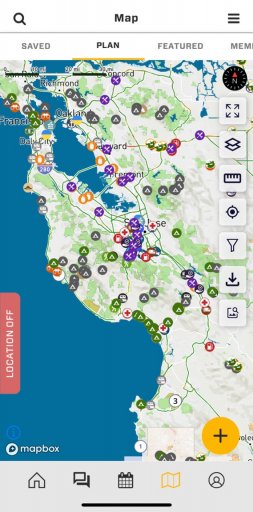
We make it VERY obvious there is not location permission - that was done long ago however, and I see it needs updates. Needs to say, "Location Off", and position needs to be changed to upper left of screen.

View attachment 234115
Follow up: this nudged the team to make some improvements to location permission banner. Now ob1 shows “location off” and tapping it goes to location permissions. Hopefully saving folks some headache.
 

Attachments

  • media.jpg
    media.jpg
    191.6 KB · Views: 14
  • media.jpg
    media.jpg
    127.5 KB · Views: 15
I have NOT tried doing what you are attempting, but will simply state that ANYTHING Garmin will be needlessly complex and frustrating. I have gone through too many Garmin devices and software issues to count. Once I got rid of Garmin across all my devices things began to work.

Sorry to just throw out a general reply to a specific question, but life without Garmin in it is better :wink:
 
I have NOT tried doing what you are attempting, but will simply state that ANYTHING Garmin will be needlessly complex and frustrating. I have gone through too many Garmin devices and software issues to count. Once I got rid of Garmin across all my devices things began to work.

Sorry to just throw out a general reply to a specific question, but life without Garmin in it is better :wink:
Sorry to hear that. My Garmin devices have always worked great.
 
I have NOT tried doing what you are attempting, but will simply state that ANYTHING Garmin will be needlessly complex and frustrating. I have gone through too many Garmin devices and software issues to count. Once I got rid of Garmin across all my devices things began to work.

Sorry to just throw out a general reply to a specific question, but life without Garmin in it is better :wink:
Do you use an external GPS device and what do you use after getting rid of Garmin?