Advocate III
- 5,584
- First Name
- Michael
- Last Name
- Rose
- Member #
20990
- Ham/GMRS Callsign
- W7FSB
- Service Branch
- US ARMY Retired
Advocate III
20990


Is there a trick to deleting saved content? I've been trying to stop maps from downloading on my tablet but no luck.
I also have waypoints that sit loading for over five minutes . I would like to delete them.
Thanks



Member II
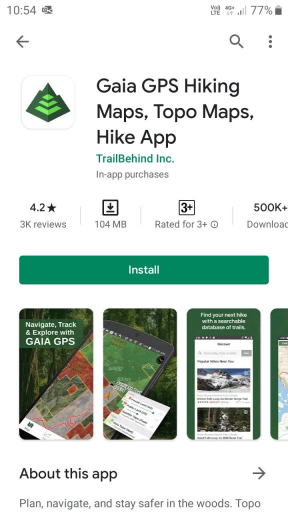
I have a Samsung Galaxy Tab3 and I can’t get Gaia to download on to it. It says it will not work with my browser or something along those lines. Any one else able to download it on yours?
Member II
If you upload a GPX file to this site you can fly your route in 3D. 3d scenes of the world's great adventures - Walk, Paraglide, Hike, Hang Glide, Cycle
I have used to to replay drone tracks and tracks recorded in Gaia GPS.
I have a Samsung Galaxy Tab3 and I can’t get Gaia to download on to it. It says it will not work with my browser or something along those lines. Any one else able to download it on yours?
Are you installing the Gaia app from the Play Store?
Member II


Influencer II
Influencer II
If you upload a GPX file to this site you can fly your route in 3D. 3d scenes of the world's great adventures - Walk, Paraglide, Hike, Hang Glide, Cycle
I have used to to replay drone tracks and tracks recorded in Gaia GPS.
I can get a track to work, but not a route...
Error:
"IGC file does not contain any location samplesCannot locate 'trk' element(s) "
Influencer II
I do like it! The beta player is cool! Shows most all of the data the GPS collects. Shame I can't use it on a route I create.. I may just have to fire up the Windows laptop and head for Google Earth Pro for that (ugh).Never tried it with a route. I think there are some free online tools to convert from route to track. I have never had the need. Must be how the xml data is written.
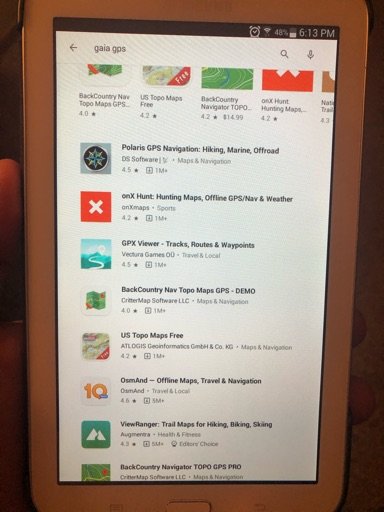
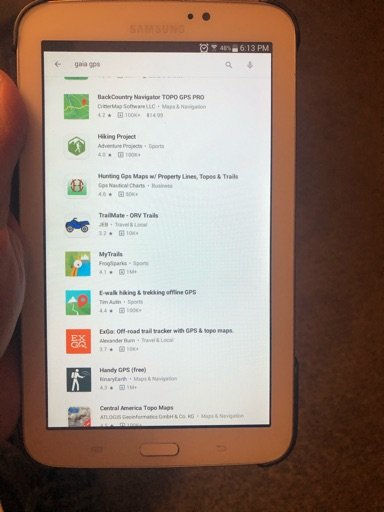
I know it’s in google play but it does not show up on my google play store. I think because it is not compatible. That is why I try to download it from the website. That’s what I’m trying to fix on my tablet. Here is the first two pages that shows up on my google play when I type in Gaia GPS.
I know it’s in google play but it does not show up on my google play store. I think because it is not compatible. That is why I try to download it from the website. That’s what I’m trying to fix on my tablet. Here is the first two pages that shows up on my google play when I type in Gaia GPS.
I know it’s in google play but it does not show up on my google play store. I think because it is not compatible. That is why I try to download it from the website. That’s what I’m trying to fix on my tablet. Here is the first two pages that shows up on my google play when I type in Gaia GPS.
Look at the minimum requirements list that Gaia has. Maybe your Tablet is too old. Play store says Android 5.0 and up.


Enthusiast I
Advocate III
20990
Nope, your iPad with cell data had a gps built in... just download the map tiles from Gaia that you will need for your route... reads this whole thread, it explains how to do everything you need to do.Forgive my ignorance. I’m new to the off grid navigation game. I have a Garmin in reach explorer plus and I also have a late model iPad with WiFi and cellular. So, if I want to navigate where there is no cellular service I have to use my Garmin Inreach paired with my iPad correct? I haven’t purchased any navigation software yet. I’m considering a Gaia subscription. If there’s a good article or YouTube video you can recommend to get me started I’d be grateful. Thanks.


Educator I
12989


Advocate I