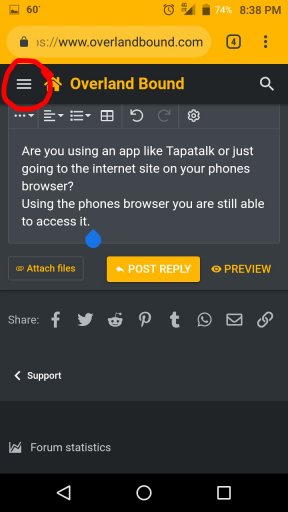
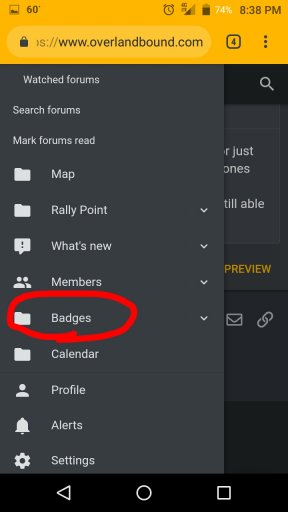
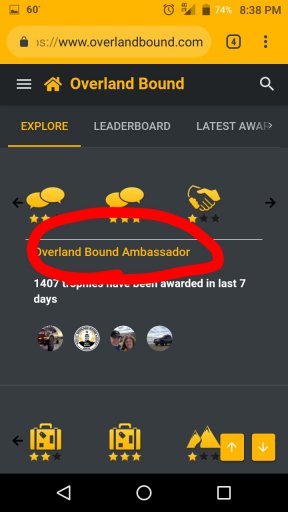
At the top of the forum click on badges, the Overland Ambassador.
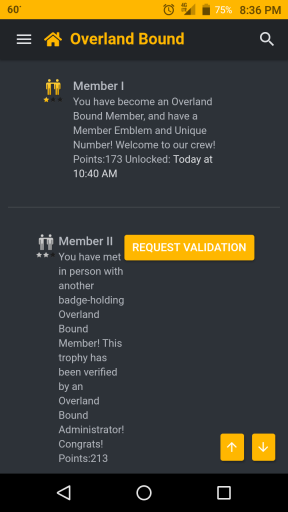
Scroll down to Member II and to the right there is a button that says Request Validation.
Click on it and submit your statement, linked to thread, etc.
At the top of the forum click on badges, the Overland Ambassador.
Scroll down to Member II and to the right there is a button that says Request Validation.
Click on it and submit your statement, linked to thread, etc.
Are you using an app like Tapatalk or just going to the internet site on your phones browser?
Using the phones browser you are still able to access it.
Hi Guest, Become a Member to gain access to the Member Forums, Member Map, Member Calendar of Events, and Rally Point overland trip planner! Click this link Learn More for more information!
This site uses cookies to help personalise content, tailor your experience and to keep you logged in if you register.
By continuing to use this site, you are consenting to our use of cookies.