What’s everybody using for off-line maps? Downloadable, etc. I have an iPad Pro I’d like to utilize!


Advocate I
What’s everybody using for off-line maps? Downloadable, etc. I have an iPad Pro I’d like to utilize!


Educator I
12989


Influencer I
27195

Contributor I


Member II
30139
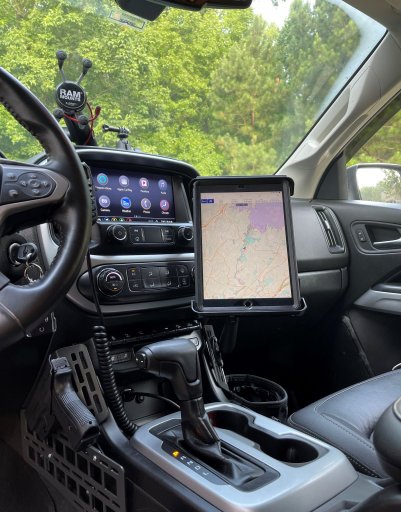
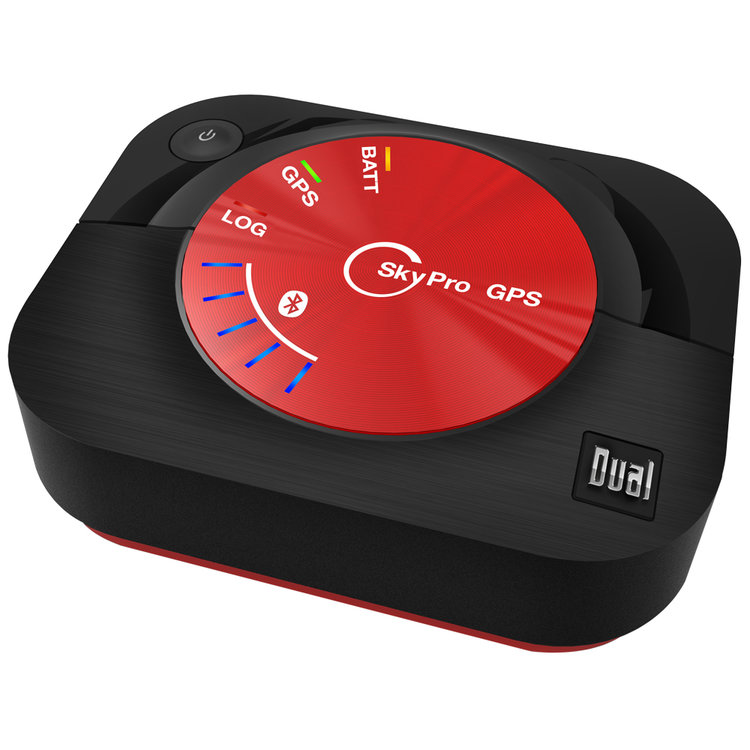
Gaia, iPad mini and Dual XGPS160


Advocate II


Advocate III
20990


Trail Blazer II
Using a Garmin Overlander.
Advocate II
Using a Garmin Overlander.
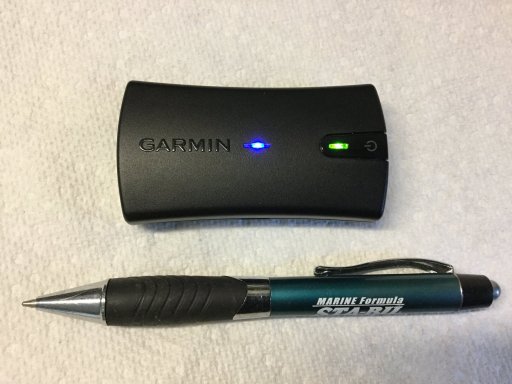
How do you like it? I recently drove 6,000 miles to Colorado using my iPad+GAIA+Garmin Glo 2 and though it was way better than using my phone, I'm thinking that a dedicated unit like the Overlander with onboard maps would've been a better choice. iPad+GAIA's handling of downloaded maps is hit-or-miss at best (also, this being my first long trip with this setup didn't help, I'm sure).
Trail Blazer II
Using a Garmin Overlander.
How do you like it? I recently drove 6,000 miles to Colorado using my iPad+GAIA+Garmin Glo 2 and though it was way better than using my phone, I'm thinking that a dedicated unit like the Overlander with onboard maps would've been a better choice. iPad+GAIA's handling of downloaded maps is hit-or-miss at best (also, this being my first long trip with this setup didn't help, I'm sure).
I absolutely enjoy the Overlander. I was using Gaia on an iPad, and wanted to give the Garmin a try. It’s great. Super easy to use, the built in features are great, and the navigation is easy to switch between. There’s a 200.00 rebate going on till the end of the month.
Oh, the magnetic mount is awesome. And I put it’s strength to the test this past trip.
Advocate II
Thanks. I wonder if Garmin is coming up with a newer Overlander, perhaps with InReach included?
Using a Garmin Overlander.
How do you like it? I recently drove 6,000 miles to Colorado using my iPad+GAIA+Garmin Glo 2 and though it was way better than using my phone, I'm thinking that a dedicated unit like the Overlander with onboard maps would've been a better choice. iPad+GAIA's handling of downloaded maps is hit-or-miss at best (also, this being my first long trip with this setup didn't help, I'm sure).
I absolutely enjoy the Overlander. I was using Gaia on an iPad, and wanted to give the Garmin a try. It’s great. Super easy to use, the built in features are great, and the navigation is easy to switch between. There’s a 200.00 rebate going on till the end of the month.
Oh, the magnetic mount is awesome. And I put it’s strength to the test this past trip.


Enthusiast III

Advocate III
20990
Not sure on Onx, but on Gaia make sure you are selecting “Overlanding” as the means of travel… some times you have to force waypoints between two locations. Neither app works like Google Maps where you select a destination and the app then routs you from your current (or preselected starting point) to your destination.I think I'm using Gaia and OnX wrong. I just can't seem to figure out how to create a route on either. Neither wants to allow me to drive offroad. Using these apps, I thought I'd be able to select two waypoints and get a route that uses vehicle-approved routes, not just paved roads.
Not sure on Onx, but on Gaia make sure you are selecting “Overlanding” as the means of travel… some times you have to force waypoints between two locations. Neither app works like Google Maps where you select a destination and the app then routs you from your current (or preselected starting point) to your destination.I think I'm using Gaia and OnX wrong. I just can't seem to figure out how to create a route on either. Neither wants to allow me to drive offroad. Using these apps, I thought I'd be able to select two waypoints and get a route that uses vehicle-approved routes, not just paved roads.
Advocate III
20990
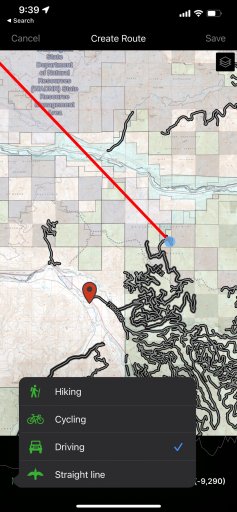
I see your problem, you will have to force the route because GAIA isn’t recognizing the road interceptions of pavement vs gravel… GAIA typically forces county/state roads over FS roads… it’s something I don’t like wait her and can be a huge pita 99% of the time while I’m building my routes.I can’t find Overlanding on desktop or mobile. I’ve attached a screenshot of mobile.
How do I create a route using two waypoints? Or do I have to create a bunch of waypoints and not expect it to adhere to the forest road or what have you?


Influencer II