We use a variety of cameras and devices for recording our adventures. We spend a lot of time out on the trails, and like you do not have a You tube presence, but like to publish our travels (for friends and family along with something to look back on when we can no longer travel remote. When we take little pieces of photos and videos from the various devices. Below are what we are currently using. and reasons for each.
- Cell phones: Not always the best images or video, but it is the one tool everyone has and its usually in your pocket or within reach. Many of our animal sightings or quick shots would be missed if we had to dig for a 'good' camera, tripod etc.
- Wolf box dash cam: The video and photos are not the greatest of images, and ours have GPS/Speed information embed, but it does record all the time out the front and back of the car, so its great for when a bear runs right in front of you, or you unexpectedly do something stupid on the trail. I can click on the save video or photo buttons while driving and we have gotten some of our favorite impromptu images this way.
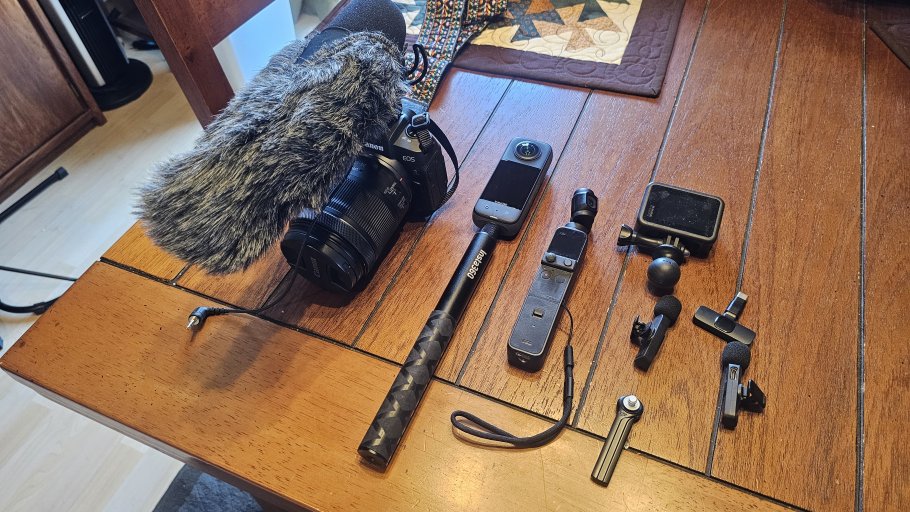
- Action camera: currently have a couple of Go Pros and really do not take them along much anymore due to problems with overheating and short battery life, will be trying a DJI version one day when I get a good deal on one. The action cams are great for special shots such as in cab view or stuck somewhere on the outside of the rig with a suction cup.
- DJI Osmo: great little action type camera with a built in gimbal that Michelle likes due to it being super light and she can tuck it into a pocket, but lately it has stayed home more often than not, due to the addition of a 360 cam.
- Insta 360 cam: Really fun little camera, collects full 360 views and when combined with a long selfie stick allows you to get drone like views of your rig as you head down the trail without the risk of losing it or in places where you can not fly. It does create massive file sizes and takes some time to learn edit and create the views you want.
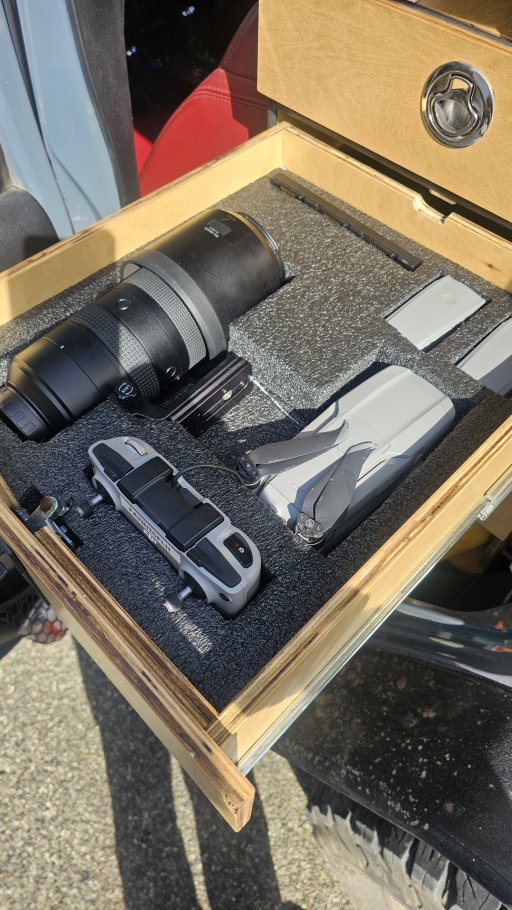
- DJI Mavic II drone: easy to use, lots of built in options for different type of shots (follow mode, orbit etc.) have had it for several years and crashed it a couple of time but still working and getting the job done. Do have to be careful to do your research on drone use in the various different jurisdictions you travel in so you do not have any issues.
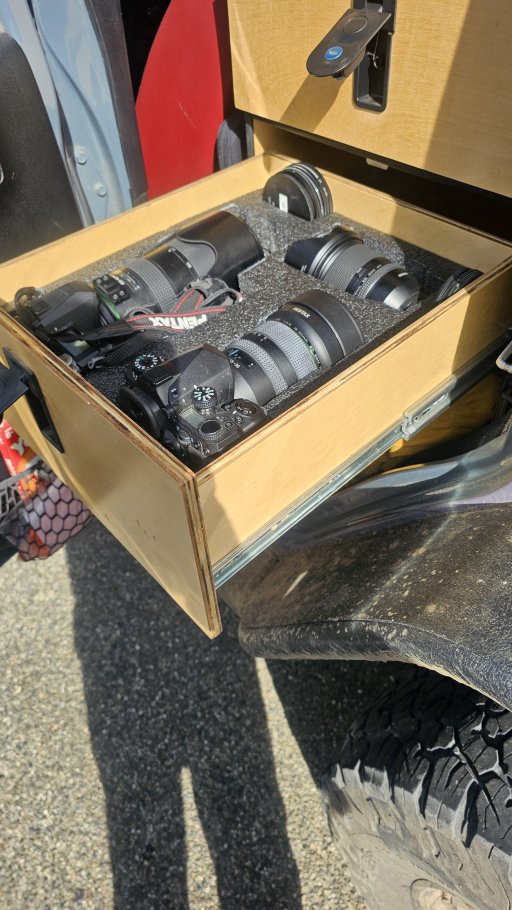
- DSLR: Michelle has a basic Cannon system that she uses for stills and video, and I have always been a Pentax guy with several bodies and multiple lenses. These are primarily for scenery, wildlife and other shots that I would like to be worthy of framing and placing on the wall.
- Sound: We have a 'dead cat' mic for Michelle's Cannon and a set of cheap amazon wireless mics that plug into the usb port of our cell phones, the audio is not too bad and good enough for where we are at.
We are a bit over the top on camera gear as it is on of our hobbies, but we do not take everything on all our trips and will select items based on the type of images we will encounter (larger DSLR may stay home if we are going to a place with little wildlife). We keep the smaller gear in soft bags that Michelle can reach from the passenger seat and the drone and my Pentax gear live in a set of dust proof drawers I built behind the drivers seat with foam inserts to prevent damage. 4 years with this set up and all our gear has remained in good condition.
For editing, I use Adobe Photoshop and Lightroom for my still photograph, although I really prefer to stick to cropping, and making sure the image is level etc. rather than changing colors or tones as I like my photos to come from the camera not the computer. I am currently using Filmora as my video editor, It does the job, and at the time I got a lifetime license for about a $100. However it tends to flood you with adds for add ons etc which I do not like after I have purchased something. I will likely upgrade to Adobe as I have a lot of their other offerings and it is pretty much the standard, but it has a pretty stiff monthly subscription which is hard to swallow when you are not making money on it. (the rest of the adobe software I use in my building design business so it pays for itself) I usually try to keep the video quality to around 2k rather than 4k as it keeps the file sizes down and do not really see much difference when posting online or viewing on a computer.