Offline maps for tablet or smartphone....what app do you use?

Thanks 1louder for the confirmation on the app.


I also saw this today that popped up on my IPhone. It's the TRX OffRoad map for phone apps as well. Don't know that much about it maybe you all can chime in to see if it's worth it.

I read the article and spent a few minutes with that app. That thing is just awful. I don't like the map. No alternative to download different layers. I don't believe you can import tracks from other sources. The interface is very clunky. Yeah they are making lots of claims and promises on the amount of available content but I would stay away from that one. Just one mans opinion but I have been using navigation apps for well over 10 years.
 
I'm another Gaia GPS user. I can't find myself to use anything else. The interface is just easy to use, and I like that I can go online and view all my tracks, edit, plan, share, add photos and the level of detail is very good. In fact, I have started to like it so much, I'm probably going to upgrade to the Pro version soon. But even if you're not on the Pro version, like myself, it helped me navigate over 2000 miles in Oregon and hundreds of miles off the beaten path here in California.
 
  • Like
Reactions: Marine7 and Jose
I read the article and spent a few minutes with that app. That thing is just awful. I don't like the map. No alternative to download different layers. I don't believe you can import tracks from other sources. The interface is very clunky. Yeah they are making lots of claims and promises on the amount of available content but I would stay away from that one. Just one mans opinion but I have been using navigation apps for well over 10 years.

Thanks for the heads up! I thought it would. E good since the Magellan TRX GPS has all that and then some but off course more clearer also with the maps.
 
I'm going to have to look that Gaia app up. Do they have it for the iPad as well cause that would be sweet to have.
 
I'm another Gaia GPS user. I can't find myself to use anything else. The interface is just easy to use, and I like that I can go online and view all my tracks, edit, plan, share, add photos and the level of detail is very good. In fact, I have started to like it so much, I'm probably going to upgrade to the Pro version soon. But even if you're not on the Pro version, like myself, it helped me navigate over 2000 miles in Oregon and hundreds of miles off the beaten path here in California.

Read the bottom of my review and get yourself a FREE year of the Pro Subscription.
http://www.4xoverlandadventures.com/navigation-app-choice-gaia-gps/
 
  • Like
Reactions: grumpy and Crispy
I'm going to have to look that Gaia app up. Do they have it for the iPad as well cause that would be sweet to have.
 
Wonderful info guys, thanks.

What screen size tablet are you guys using? Is bigger better? Does anyone have a larger screen and wish they had smaller, or smaller screen and wish they had larger? Is a tablet with an external GPS antenna what I am wanting?
 
I think iPads with Wireless service (Cellular Data) have built in GPS. Someone please correct me if i am wrong.
 
I think iPads with Wireless service (Cellular Data) have built in GPS. Someone please correct me if i am wrong.

That is correct.

Wonderful info guys, thanks.

What screen size tablet are you guys using? Is bigger better? Does anyone have a larger screen and wish they had smaller, or smaller screen and wish they had larger? Is a tablet with an external GPS antenna what I am wanting?

I use an iPad 2 and the Dual 150 external gps. Very pleased with it but I would like a Delorme for easy communication outside of cell range.
 
I should clarify. I'm not an Apple user and the Prices of Ipads is a no go for me. I'm leaning to a low dollar Android tablet for the sole purpose of running navigation. I would prefer an external GPS antenna as I am frequently in thick wooded areas.

The Ipad 2 is a 9.7" screen? I guess I'm looking for general consensus on screen size.
 
I should clarify. I'm not an Apple user and the Prices of Ipads is a no go for me. I'm leaning to a low dollar Android tablet for the sole purpose of running navigation. I would prefer an external GPS antenna as I am frequently in thick wooded areas.

The Ipad 2 is a 9.7" screen? I guess I'm looking for general consensus on screen size.

If you are only buying a tablet to use for navigation I think a 7" tablet is fine. If you want to use it for other things I like the 9.7" or greater size.

The Asus S8 tablet seems pretty good. It is around $178.00. That's what I will likely purchase to beta testing purposes of the Gaia GPS app. I was just added to the beta team and would like to be able to contribute to that area.

Most but not all Android tablets have built in GPS. With or without 3G.
 
I'm using a 8" Samsung Galaxy Tab S2 with a Garmin Glo. It's not the cheapest tablet, but the resolution is right there with iPad Mini. "With vivid Super AMOLED screens, the new Samsung Galaxy Tab S2 is ready for work, play and everything in between."

I think the tablet was $300 and the Garmin Glo is $99. Then I added 128GB of storage for all my maps and music, which is plenty.
I have it mounted to an Arkon truck seat rail tablet mount that bends in all directions. I have it on the passenger side pointed to me when I'm solo, or to my passenger when I have a navigator.

Gaia GPS looks beautiful on it, and the primary reason I have this set up.
 
Here's a great tutorial on using different apps with Gaia to discover new trails. This example shows how to find new mountain bike trails and how to download them to your phone for offline use.

 
I use Google earth to generate tracks and way points. It will usually generate 2 to the options between your "Navigate to" and "Navigate from" points. When you have your trip planned out you can save it as gpx or kml files.

From there I import them into Back country navigator.

Also maps.me works nice to navigate and route while you are in the field.

I've been using Maps.Me for general navigation purposes and just out of curiosity I searched a couple of forest service roads within the app and it was able to show them. Does the app show stuff like that consistently? I don't live anywhere near a national forest to try and use the app for trail use.
 
If you set it to walking mode it will route on them too. I have found that you may not be able to use some of the roads it routes you on. Be willing to reroute and let the adventure begin. I am starting to use a combination of digital and paper maps to see how that works. Rout using digital and confirm using paper then go.
 
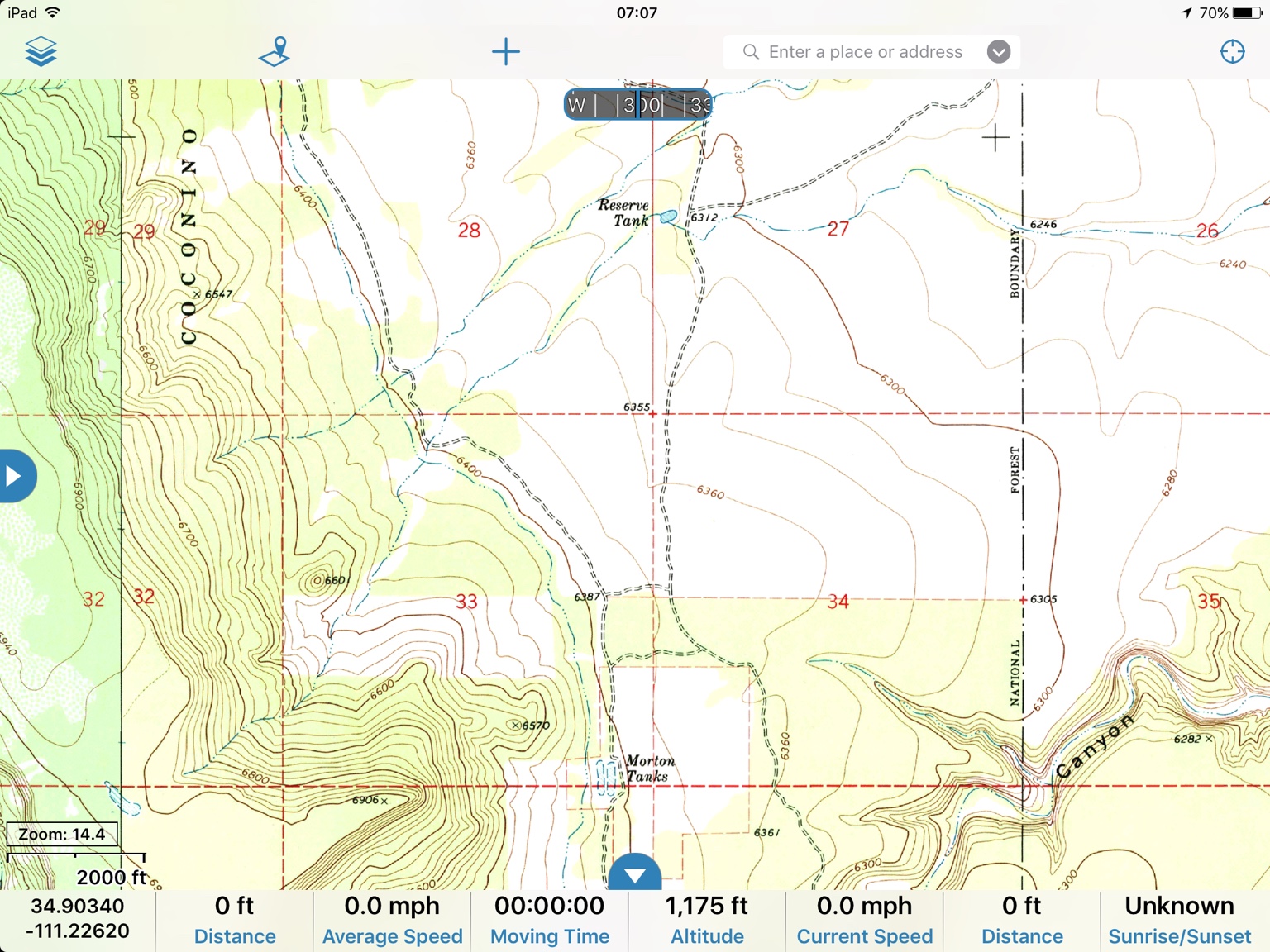
Obviously with the site maintenance a bunch of posts disappeared. We were talking about. Map differences and detail levels. I'm not going to recreate the post but. These are from Gaia GPS, Maps.me, and Pocket a Earth.

98ce9c660b1963dab99d4e6e57c72fca.jpg


30ef89128bd272b8bb88071fd1cd295f.jpg


c71ab443003df14ab4967877a9e684ad.jpg


29d28e31eba33d8aaab5efbdadb0525a.jpg


b431d2fa1b6dfa1354458b12ba792d31.jpg


30cab8ec3e8daa4be55b7e6c2b5b2d06.jpg


And Gaia Topo views:
2bae373babf748142a9f49bd649077f9.jpg


347a3335592c2b47469321e02c074a09.jpg
 
  • Like
Reactions: Crispy