iOS Apps for Overlanding

  • Thread starter Deleted member 7377
  • Start date
I think it would be cool to have a thread going as a resource for all iOS apps that are useful to us as Overlanders. They can be related to communications, navigation, journal/information logging and other useful tools.

I'll get the ball rolling with a few apps:

NAVIGATION - ViewRanger for iOS
392x696bb.jpg


Great app for creating routes, tracking, saving POI, saving maps for offline use, ability to share on multiple devices with your ViewRanger account, great base maps with the option of purchasing additional maps, and the best part IT'S FREE!


COMMUNICATION - Zello for iOS
392x696bb.jpg


Simple walkie-talkie-style app, that allows a quick and efficient way to communicate as long as you have network. The data usage is very minimal and you can use this even with one bar. The app allows you to create groups and communicate to all group members at once (great for groups runs). It also allows for text messaging and sending images.

I look forward to seeing what all of you have found and use on your overland outings.

Cheers,
Nick
 
I’ll bite. These are for for both platforms.

http://gps.motionx.com

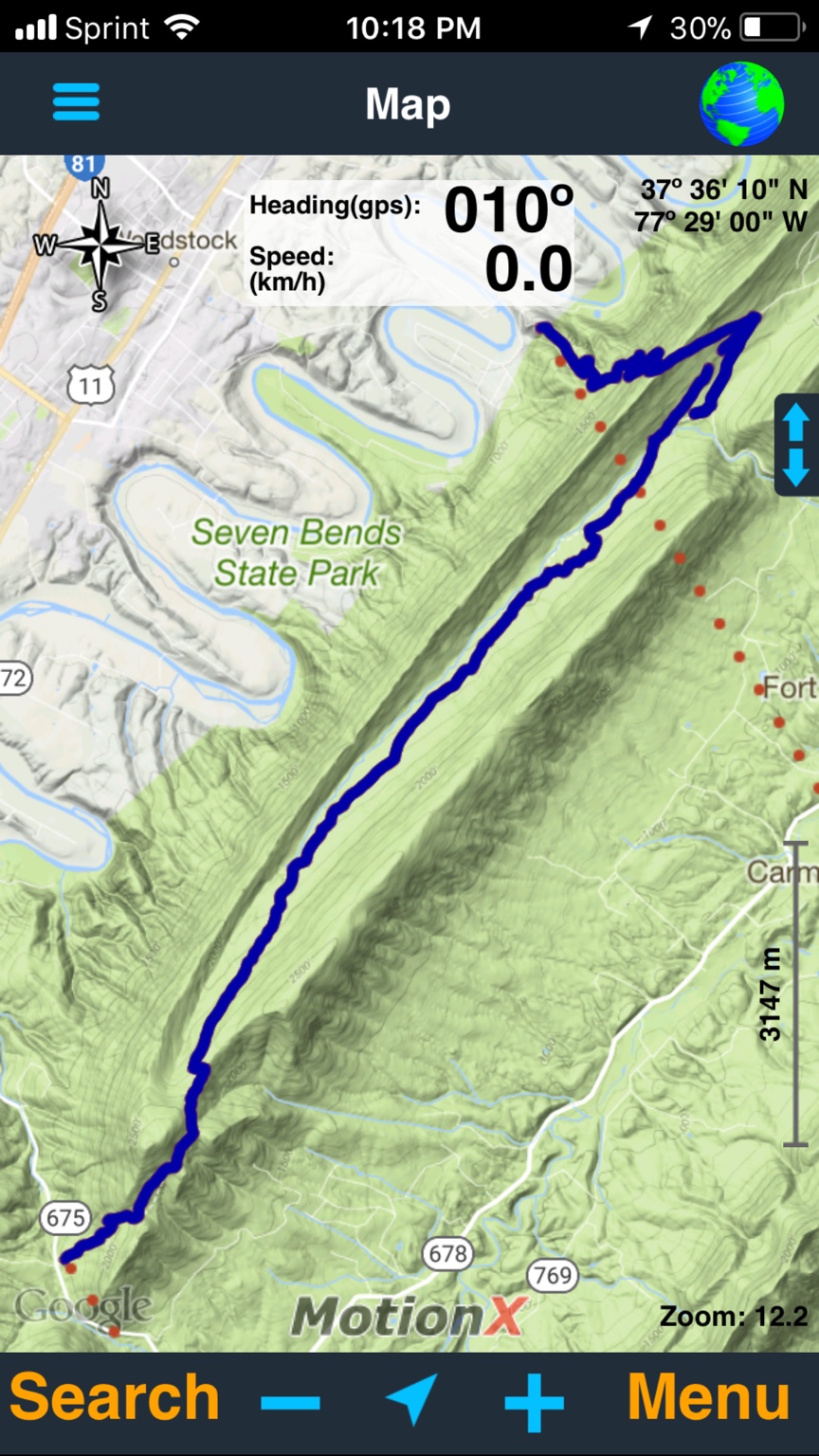
Cost is $3. I think and per device.. Good for cacheing maps to the phone or Ipad. Will work without cell service As long as you have the map loaded of the area you are in.

A screen shot of a trail I did not long ago.

f01ad6fb661a3c031b6b58b0830944fe.jpg


http://happymagenta.com/spyglass/

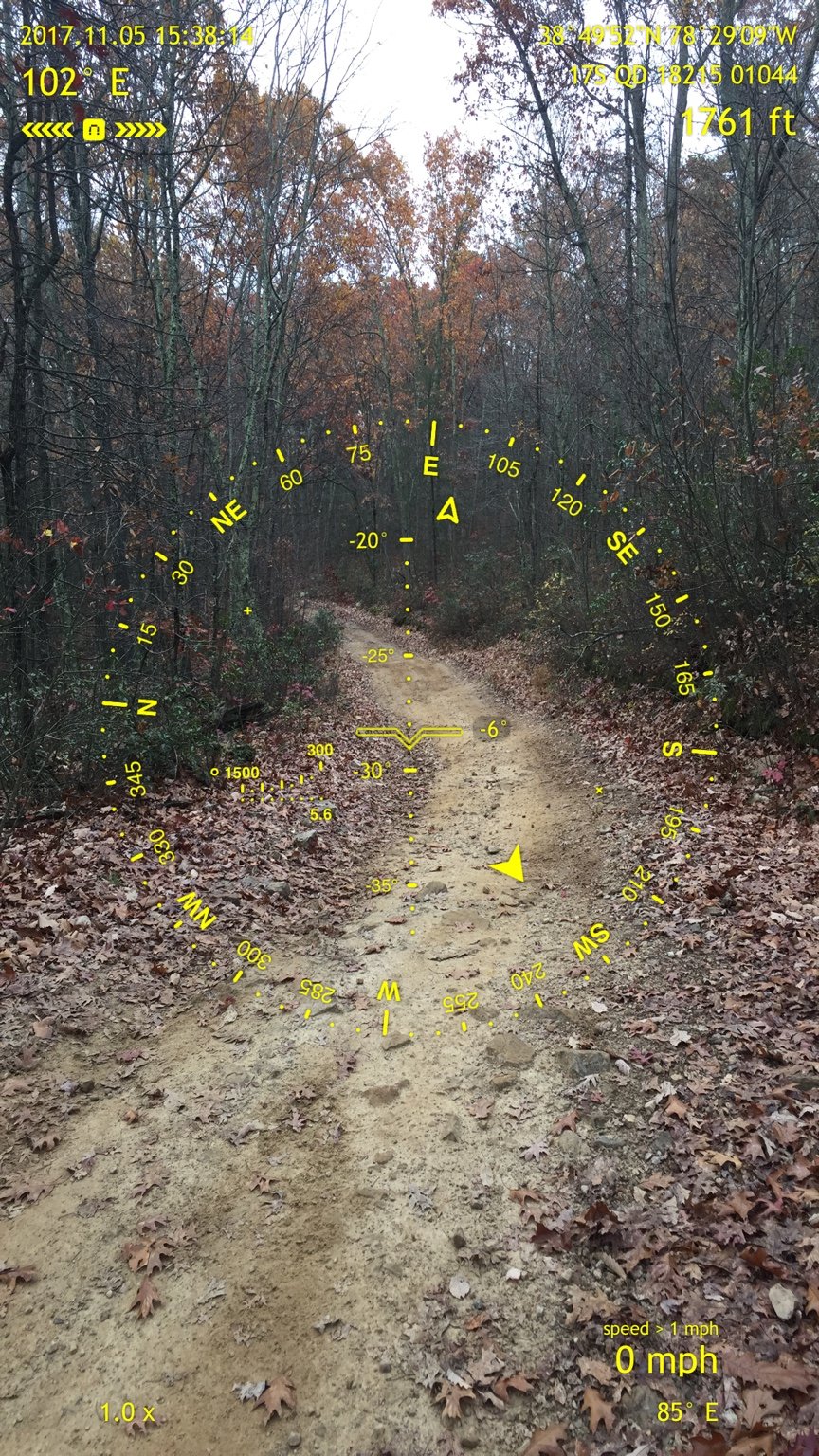
Something to play with. Cost is $5. One time and across several devices.. Again need to cache maps of the area you are going to. I have not played with it enough to really say yes or no. But do like the info in the pictures that I’ve taken. Also with the paid version, you can change the back ground colors and other stuff. The free version (Commander compass) you cannot. You can still do everything else

Pic for info reference. I do this every now and then. text or email when I get cell service, send to my wife if I’m out and about. At least she has my last known location or there abouts.

5a70a7861fe036735ee2a40ecf9abcfd.jpg


Lastly. Magellan Trx Trailhead. Pc web based site to look up trails. Has info for The USA.

http://www.trxtrailhead.com. Playing around with this. You can get an idea of length of trails, elevation and some other info too. if the trail has been rated by someone.. it should have that info in there.

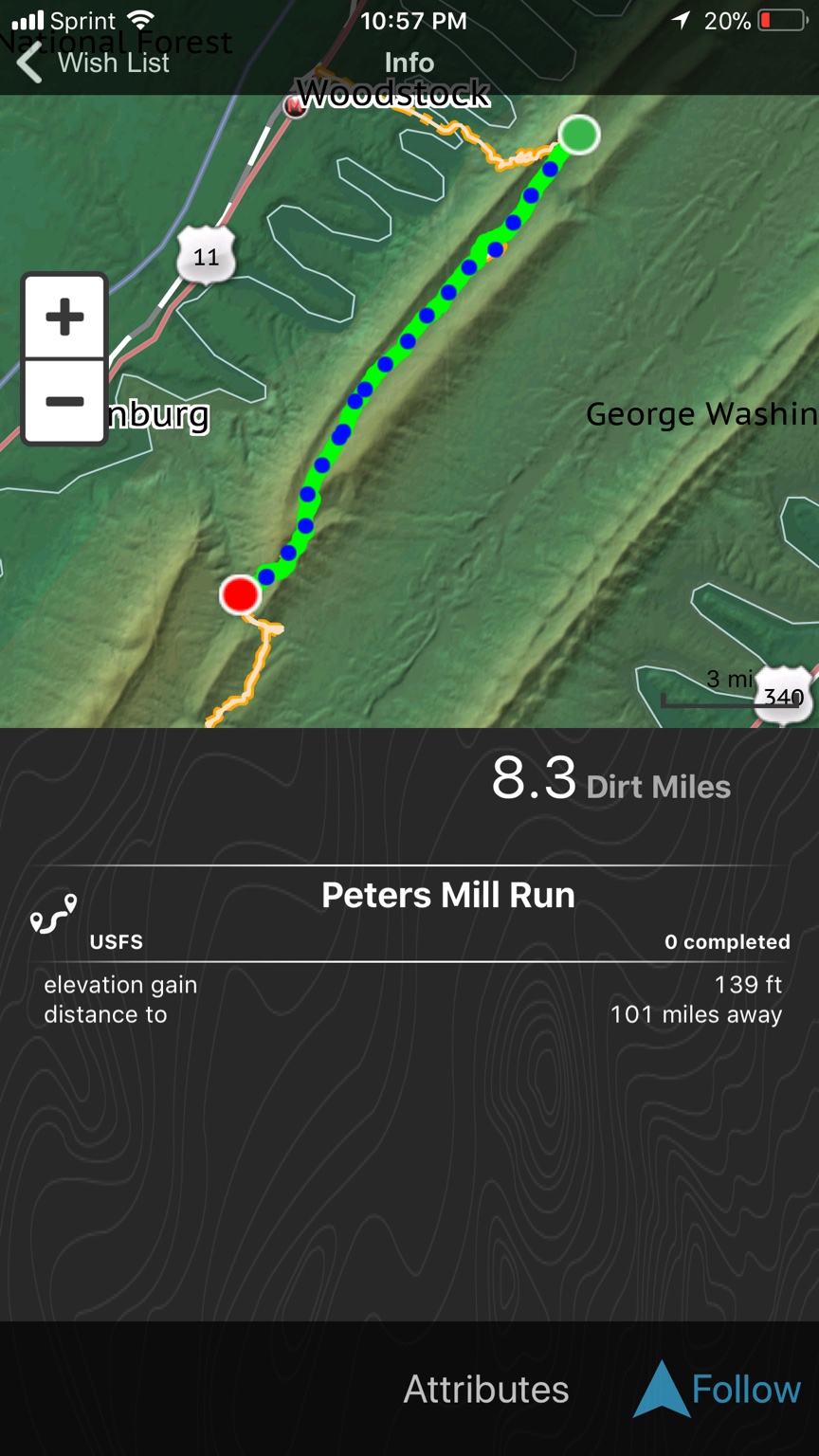
Then here is the app for the above TRX. She be free. Free is good. You can do the same search and save to the phone or ipad. If cell service is lost. It will still track you.

http://www.magellangps.com/Outdoor-Navigation/Magellan-eXplorist-TRX-App-Off-road-GPS-Navigation

My pic of the same trail above (was running both the TRX and MotionX at the same time). I did not hit he track button at the trail, so I did not get credit for it. But she did save a different way.

13cd1af70b2663224820e0f3a3b88423.jpg


Research them if ya wanna.
 
Last edited:
  • Like
Reactions: DuvalRover
iOverlander. Hands down one of the simplest yet useful apps for travel particularly in foreign countries. Camping, fuel, police checkpoints, mechanics, water sources, etc.
 
  • Like
Reactions: Dario Carrera
I just purchased a one year subscription to Gaia GPS, and am getting to know it on my iPad (for use in the vehicle in conjunction with a Bad Elf GPS Pro+), and got a subscription to Geocaching for fun on the road, and bought the 99 cent Smittybilt inclinometer app (also for fun)....

James
 
Thanks for sharing, Nick!

Would you mind including a quick description for each, it could be as simple as listing the few key features for which you use the app. Also list the type of application it is. I’d like for this page to be as useful as possible, some what of a Wiki for apps.

Cheers,
Nick


Envoyé de mon iPad en utilisant OB Talk
 
MotionX:
Record tracks with all sorts of data, but good to look back on and keep a history of where you've been - only needs GPS for this.
You can download maps so no need to use cell data.
Mark waypoints.
Geotag photos
Good compass for navigation
Share to social media or email etc... Good for keep those at home aware of where you are from time to time.
I keep this running in the background on every trip.

IOverlander:
Good database of camp sites, points of interest etc... and interactive info from contributors.
Doesn't have off line maps ... yet.
I use this from time to time to see what's around. Database of locations is getting better and better with users interaction.

Earthmate:
Works off line with downloaded maps, although detail not fantastic
Excellent for tracking - but needs to be running in the foreground for this to work all the time, if in the background, will still record but only updates online when brought to the foreground.
With a log in, others can live track you - good for daily interest and safety etc - the main reason I use it.
Cheaper option than buying InReach.
I always have this running in the background and sync every now and again. Those following you can watch on Google Maps - when you remember to bring it to the foreground and sync it.

Garmin:
The usual good quality GPS for general road navigation - get from A to B, with traffic and hold ups information.
Unfortunately, you can't upload routes to it from the PC though.
I have it on all the time, if only to keep an eye on where I am and with the day's destination programmed in, when will I get there if I go straight there now, by road.

Memory Map:
Mainly UK use.
THE best for maps detail. Ordinance Survey maps on your 'phone or tablet - 1:50,000 is good for pretty much everything - the level of detail is second to none - including off road trails etc...
Not a navigator, but will record routes etc.. and planned routes can be loaded and followed. 1:25,000 is amazing detail. But memory hungry.
Some European countries - France etc... in similar detail.
I have this on all the time in the UK when out on trips and events - runs in the background and instant to update location.
 
Add to that
Maps.me
Can run in the background, use for road navigation. Good street level detail.
Download the maps you need.
Import routes and POIs from Google Earth - prep plan a trip, then navigate the route. Tap on a POI for more detail and to route to of from or to share location.
I use this as an alternative, but often running in the background as a back up.
Just out of curiosity, we used Maps.me exclusively on a recent 2 week trip around the Somme battlefileds of WW1 in Northern France this summer - it never missed a beat and was good for sudden changes to the plan.
 
  • Like
Reactions: HEYElliott
+1 on Gaia GPS

I just downloaded Zello, and will check it out. Thanks to Nicolas for sharing!