How to upload trails

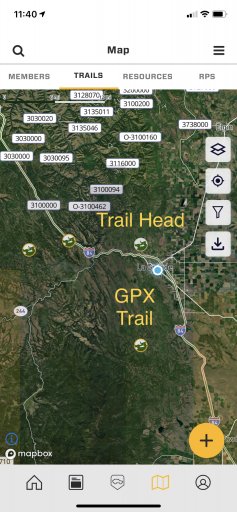
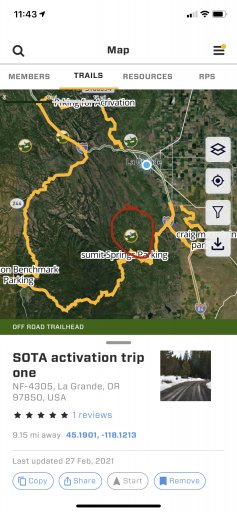
To view the whole track, click on the trail head icon and the whole trail will appear if there is a track associated with the trail head. I have noticed that OHV parks and other common trail heads appear on the map without GPX trails.

GPX trail icons will have a yellow circle around them, while a trail head without a track will have a white background.

2E1E9F8B-D7A3-4E5D-9D5F-0218BEE5211B.jpeg
B3446979-A035-435C-88B8-821992912830.jpeg
 
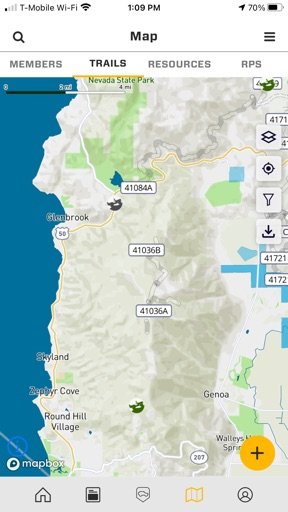
Mike on the appt these 2 icons are colored diff for same “trail”, neither has tracks….

So how can I add the track or can I?
 

Attachments

  • media.jpg
    media.jpg
    45.3 KB · Views: 28
You will need to add two GPX tracks… one going from start to end, the other going from end to start. I don’t see a way to edit the trail heads them selves.
 
You will need to add two GPX tracks… one going from start to end, the other going from end to start. I don’t see a way to edit the trail heads them selves.
Right what I am asking is how to do it? I can do it in GE and GAIA but never on our app.
 
Right what I am asking is how to do it? I can do it in GE and GAIA but never on our app.
Look at Map Help , I wrote a pretty decent how to there. If you’re still stuck, send me a dm so we can exchange contact information so I can walk you through the process to see if it’s a bug.
 
  • Like
Reactions: Jim SoG
Ohh and you have to import the GPX file from GE or GAIA for right now, we can’t build tracks in the app yet.
 
  • Like
Reactions: Jim SoG